Guide · Stats and Saved Content
Stats and Saved Content
Keep what you choose to save in one library, and see what is sticking and what needs another pass.
Saved Content and Stats work without a key.
§ 1 · Saved Content
One library for what you keep.
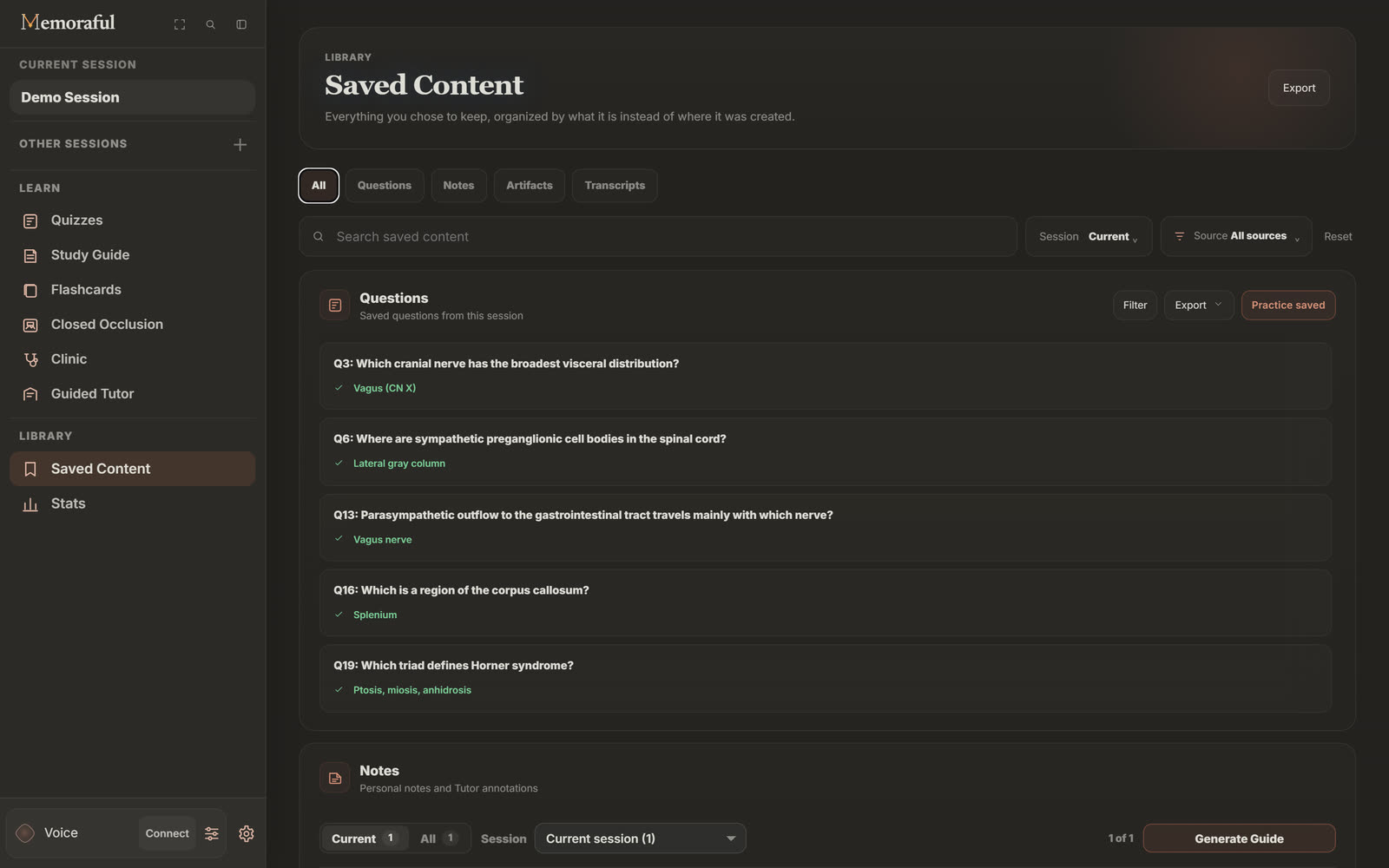
Saved Content gathers everything you chose to keep, organized by what it is instead of where you made it: Questions, Notes, Artifacts and Transcripts. Search across all of it, narrow it to one session or one source file, or switch to another session without leaving the page.
- Practice saved turns the questions you bookmarked, or the ones Auto-save kept, into a quiz of their own.
- Notes you write on a question, or dictate to Voice, all land here.
- Export the whole library as a text file, or your saved questions as a PDF.
§ 2 · Artifacts
Study visuals, made for you and kept.
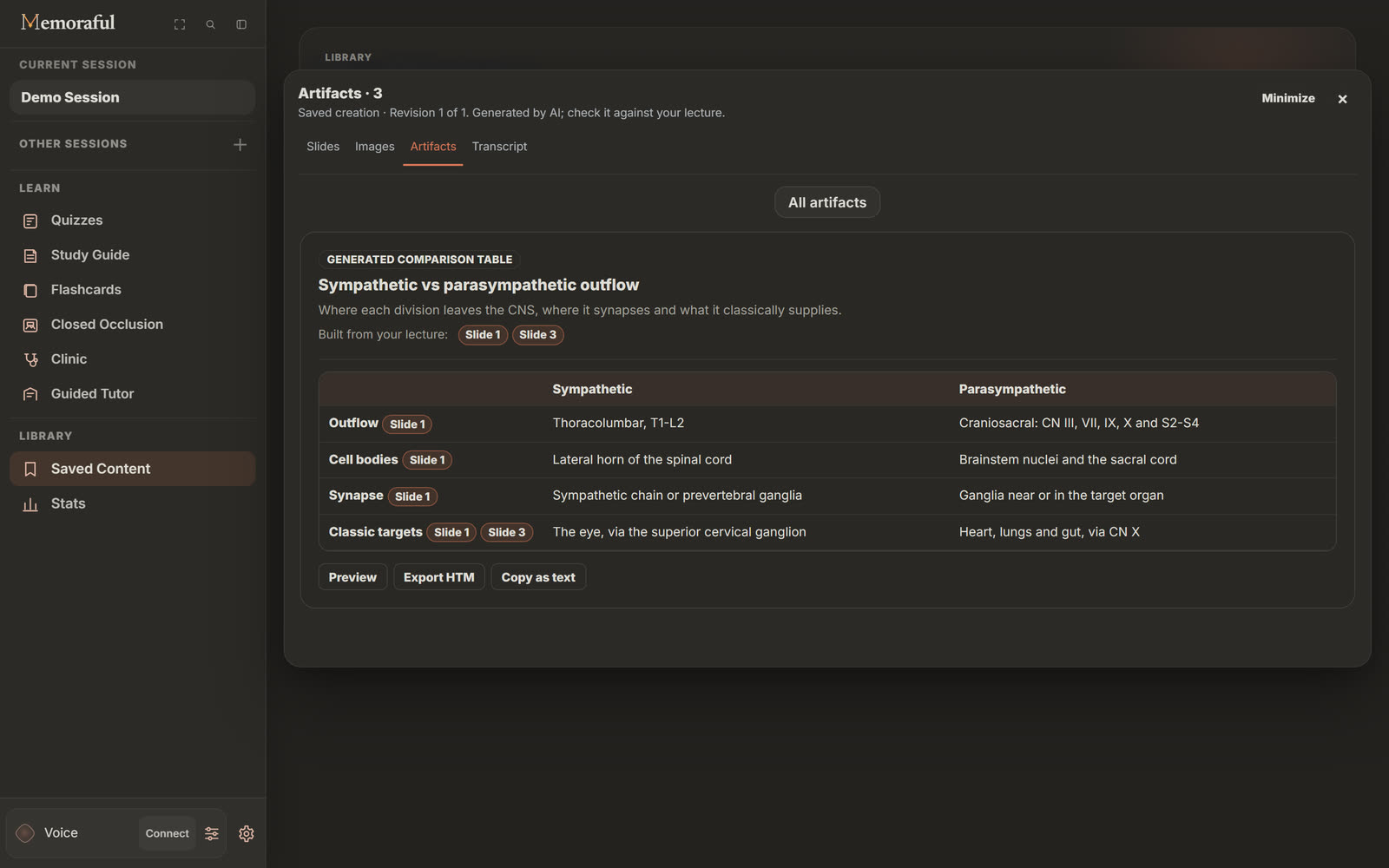
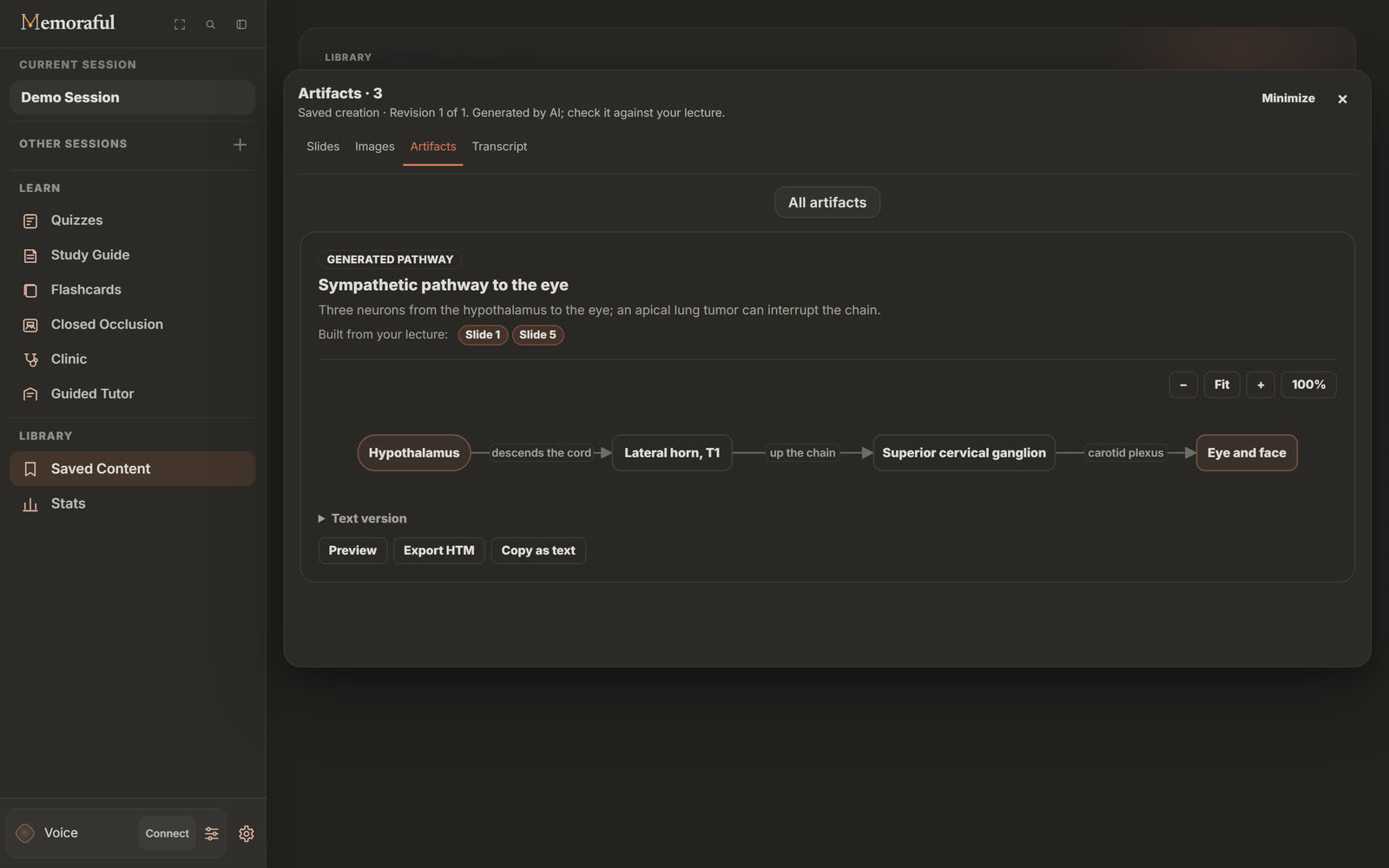
Ask Voice for a flowchart, a pathway, a concept map, a comparison table, a timeline or a set of recall cards, and Memoraful builds it from your lecture.
Each artifact is checked against a fixed format before it is shown, so a diagram never arrives half-drawn, and it names the slides it was built from. When your lecture does not cover something you asked for, the artifact says so rather than presenting outside knowledge as your lecture. Everything you make is saved under Saved Content › Artifacts, where you can open it again, copy it as text, or download it as a single HTML file.
§ 3 · Stats
See what is sticking.
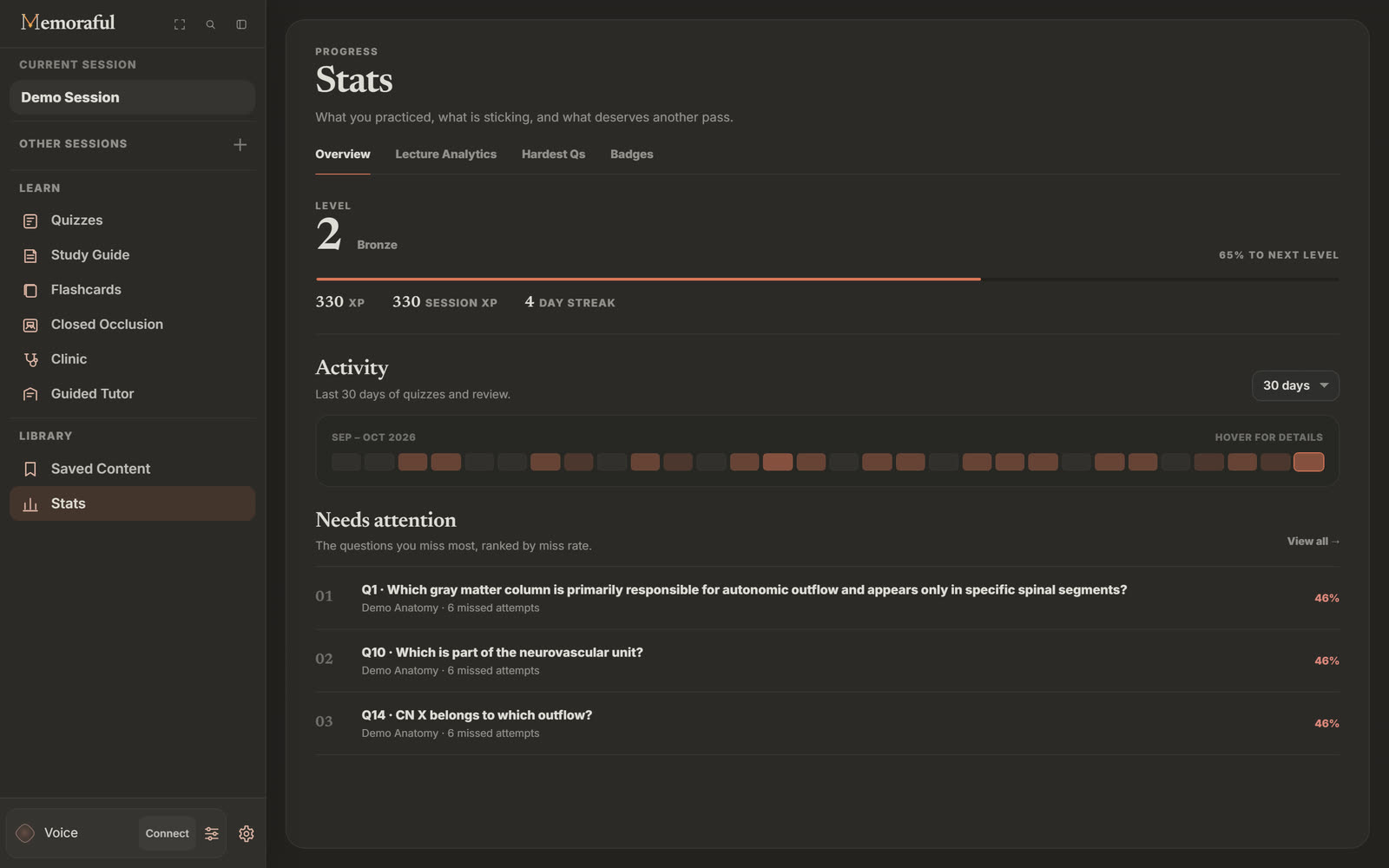
Stats starts with the big picture and then gets specific, so the next session begins where it should.
-
Overview
Your level, XP and study streak, an activity map of the last 30 or 90 days, and Needs attention: the questions you miss most, ranked by miss rate.
-
Lecture Analytics
Every lecture with how much of it you have reviewed and your accuracy. Pick one to practice it again or reset it.
-
Hardest Qs
The individual questions that keep catching you, so you can go straight back to them.
-
Badges
Milestones you have earned along the way, for the days a streak is what gets you to open the app.
§ 4 · Who it is for
However your course is taught.
Visual learners
Ask for the pathway, the timeline or the comparison table your lecture never drew, then keep it.
Before a cumulative final
Lecture Analytics shows which lectures you have barely touched; Hardest Qs shows which questions still catch you.
Study groups
Download an artifact as one HTML file and send it to the group. It opens in any browser.
§ 5 · Questions
Good to know.
Where is my library stored?
In your browser, on your device. Memoraful saves your sessions, saved questions, notes and artifacts locally rather than in an online account.
Can I take my notes and visuals out of Memoraful?
Yes. Saved Content exports as a text file, saved questions download as a PDF, and every artifact downloads as a single, self-contained HTML file you can open anywhere.
More guides
Keep going.
Keep what you learn.
Start with one lecture. Your library grows with every session.