Guide · Study tools
One lecture, every way to work it.
Memoraful turns your own slides, PDFs and Word files into quizzes, flashcards and Study Guides. These are the tools you study them with. Every question keeps Ask and its source slide one click away, and the Tools menu changes how you work through a whole set: as a timed exam, as recall before you see the options, as only what is due today, or one stubborn question at a time.
No account needed. 5 free quiz generations and 5 Ask Memoraful questions a day.
§ 1 · On every question
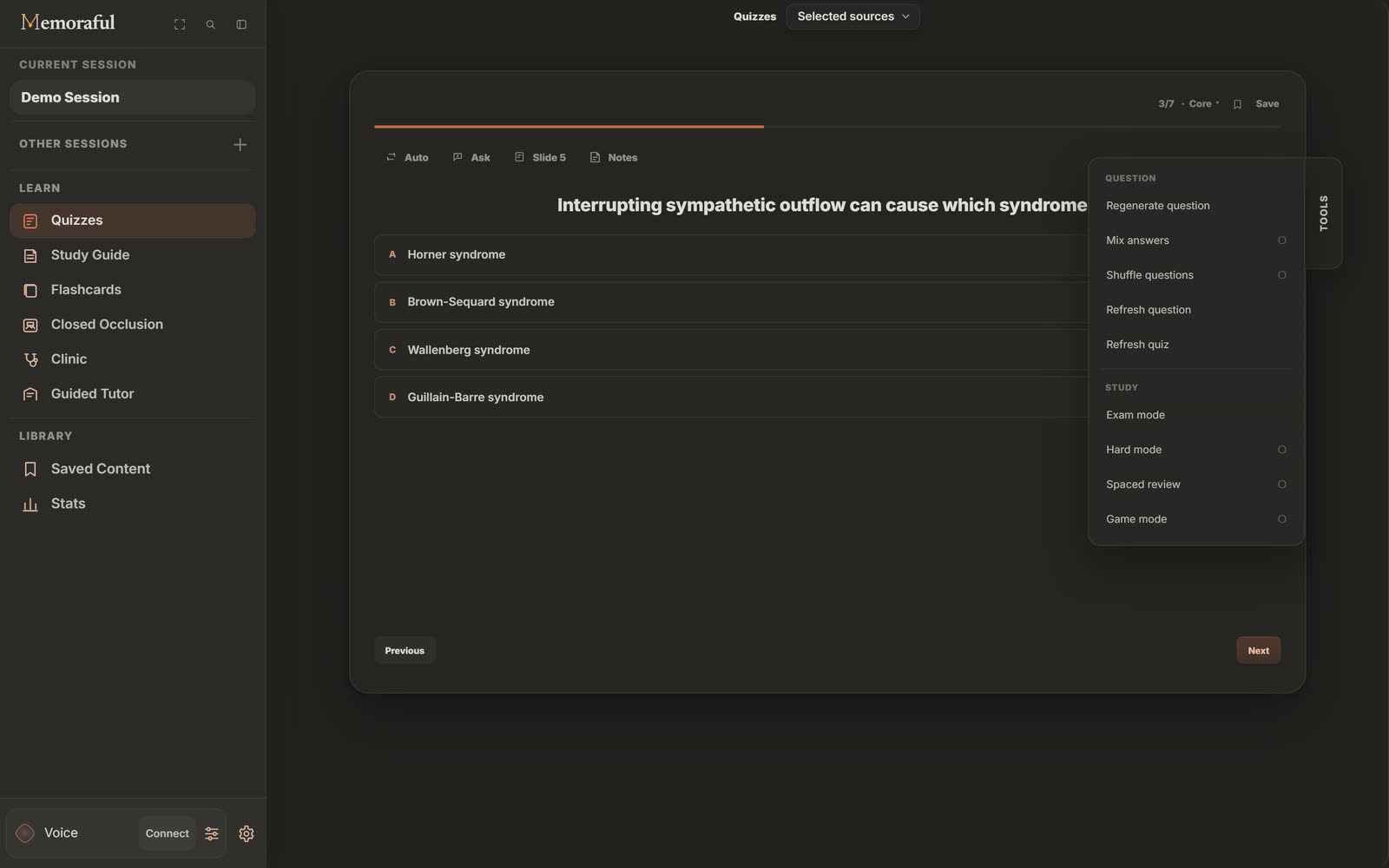
Four controls sit above every question.
Before you open Tools, each question already carries the basics. They stay in the same place from the first question to the last, so studying never turns into hunting through menus.
-
Ask
Ask Memoraful about the question you are on. The answer is drawn from your lecture, and it tells you when the lecture does not cover something.
a wrong option looks right and you want to know why it is not.
-
Slide E
Opens the slide the question was written from, right beside the question.
you need the context, not just the answer.
-
Notes
Write a note without leaving the question. Every note is collected in Saved Content.
you spot a mnemonic or an exception worth keeping.
-
Save S
Bookmark the question. Saved questions can later be practiced as a quiz of their own.
a question deserves one more look before the exam.
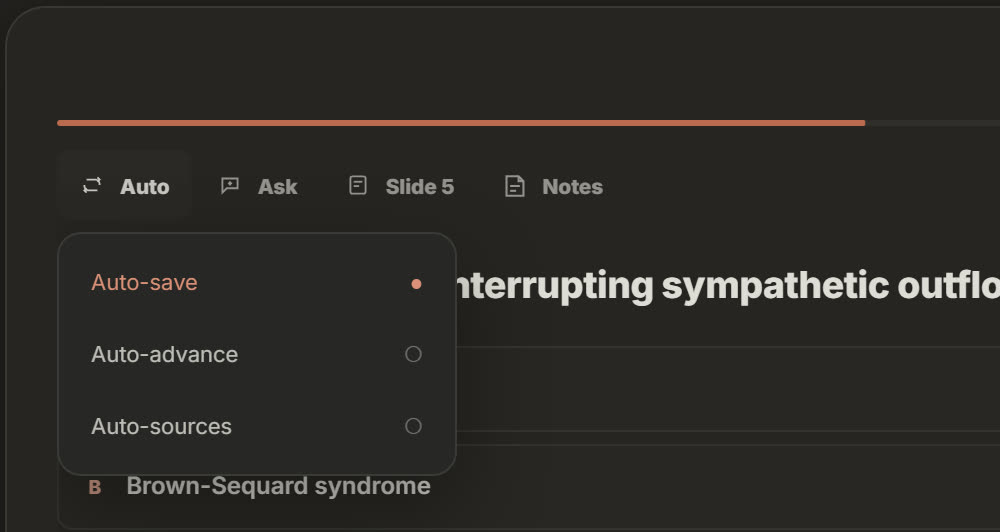
Auto: three switches that keep you moving
Auto-save keeps every question you miss. Auto-advance moves on as soon as you answer correctly. Auto-sources opens each question's slide as the question loads.
Turn on the ones that match how you study. A long review session with Auto-save on ends with a ready-made list of everything you got wrong.
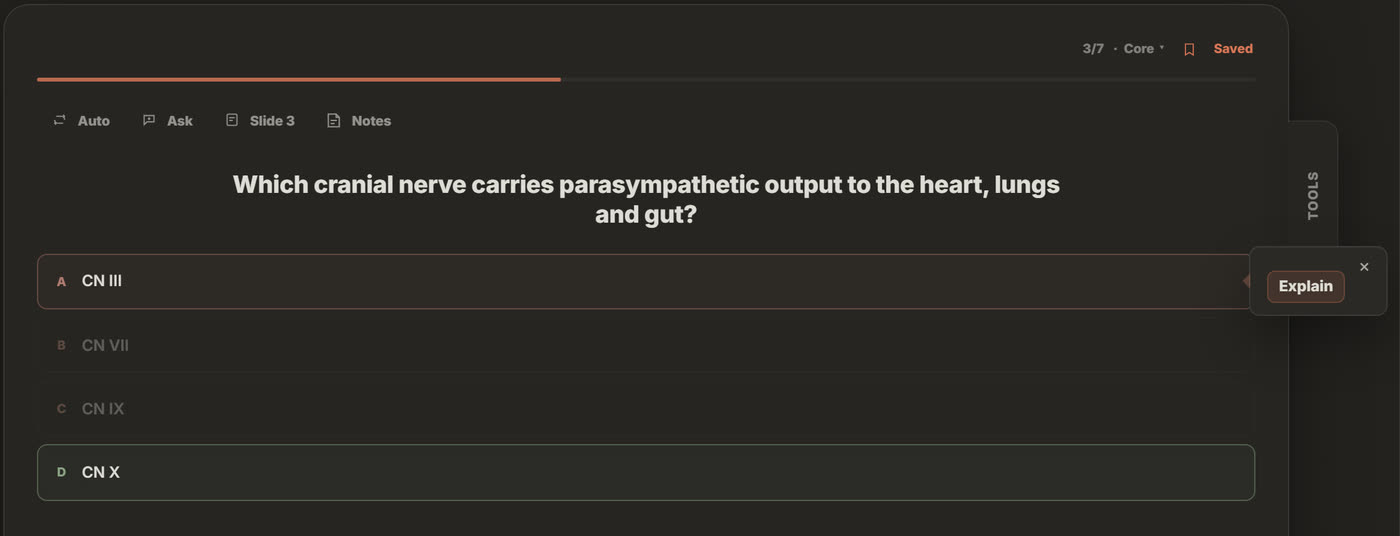
A missed question is never a dead end
Choose wrong and Memoraful marks the right answer, saves the question if Auto-save is on, and puts Explain one click away. The slide the question came from is one more click.
Misses also feed Stats, which ranks the questions you miss most so your next session starts with them.
§ 2 · Finding things
Find any slide, then keep it open.
Lecture Finder searches everything you have loaded, and the file viewer opens the slide right beside what you are studying.
Search
Lecture Finder
Type a term, a table or a factor and Lecture Finder returns the slides that cover it. Search your lecture files or your quiz questions, in the current lecture, the current session or every session.
- Views for Slides, Images, Artifacts, Transcript and My Notes.
- Expand it to read results at full size.
- Ask Memoraful or Voice can open it for you: say what you are looking for.
Browse
File viewer
Your slides, PDFs and Word files open right beside the quiz or flashcard you are on, at the page the item was written from.
- Page through the deck or jump straight to a page number.
- Opening a source from Ask, a Study Guide citation or a search result lands on the same page.
- Keep the lecture open while you study, instead of switching windows.
§ 3 · Tools › Question
Rework a question without leaving it.
The first group in Tools acts on the question in front of you, or on the order of the whole quiz.
-
Regenerate question Shift R
Writes the question you are on again, from the same source slide.
a stem is ambiguous, too easy, or gives the answer away.
-
Mix answers
Shuffles the order of the choices on every question.
you have started remembering that the answer is C rather than why it is right.
-
Shuffle questions
Reorders the quiz and puts the questions you have not answered first.
a second pass should not follow the slide order.
-
Refresh question U
Clears your answer to this question and reshuffles it, so you can try it cold.
you guessed right and want to earn it.
-
Refresh quiz
Resets the whole quiz and reshuffles it.
you are starting a fresh pass the night before.
§ 4 · Tools › Study
Change how the whole quiz runs.
The second group changes the session itself, from a timed exam to a quiz that only shows what is due.
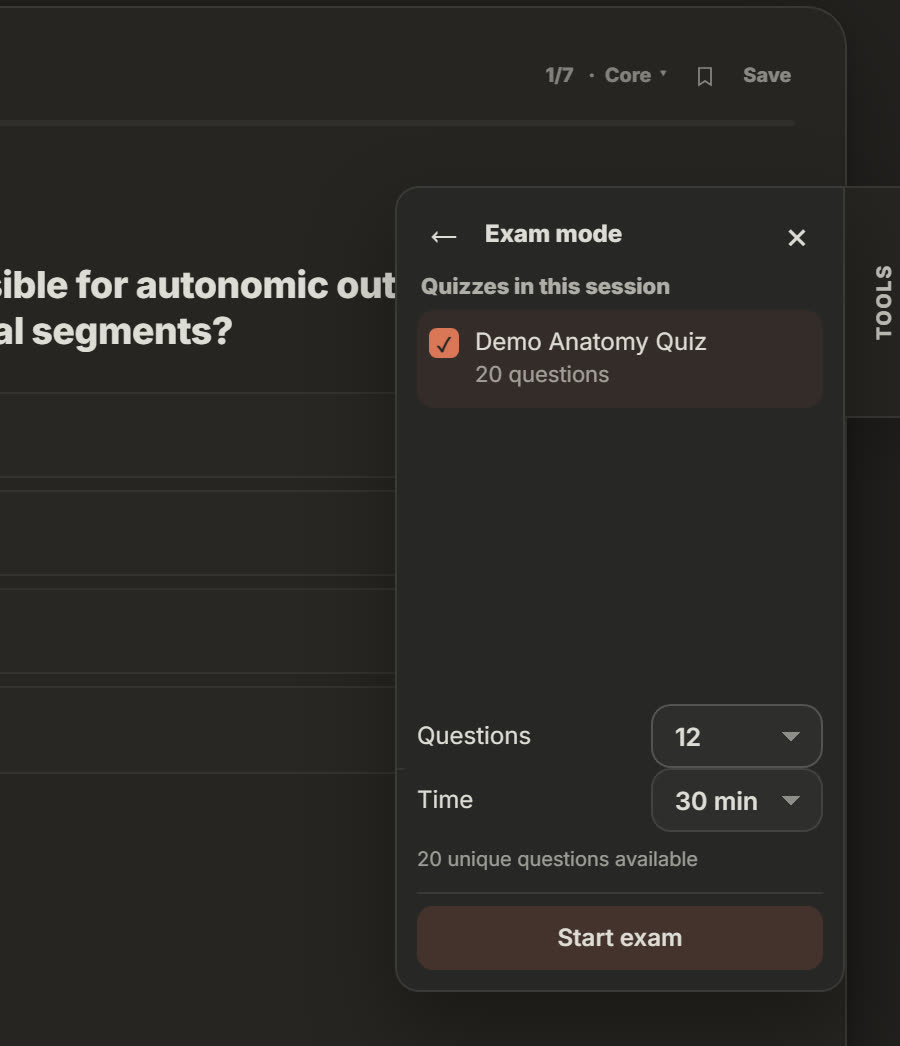
Exam mode
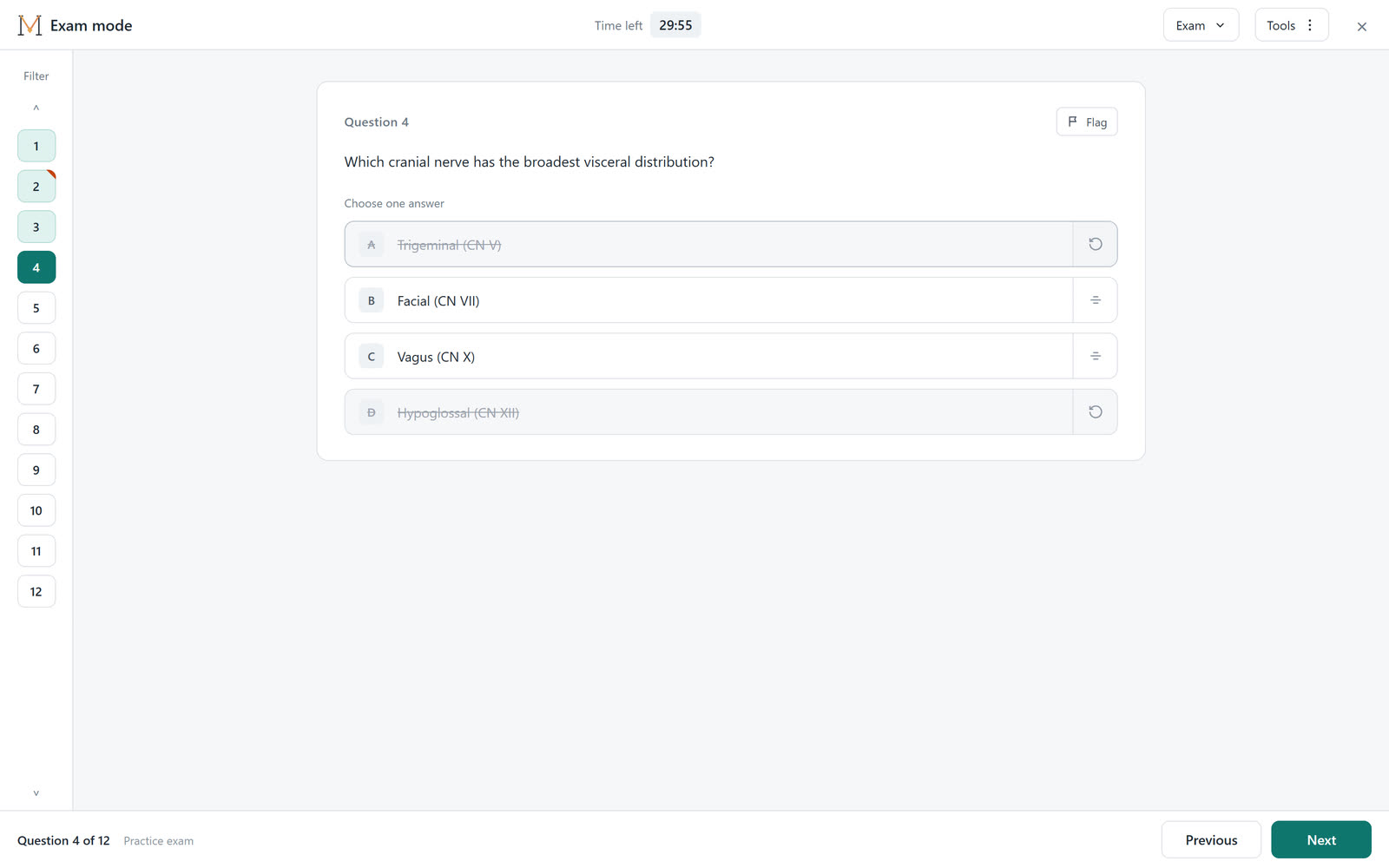
Choose which quizzes from the session go in, how many questions, and how long you have: 15 minutes to 4 hours, or untimed.
During the exam you can flag questions to come back to, strike out options you have ruled out, highlight the question, keep notes and watch the clock. Nothing is scored until you submit, and an unfinished exam can be resumed.
-
Hard mode
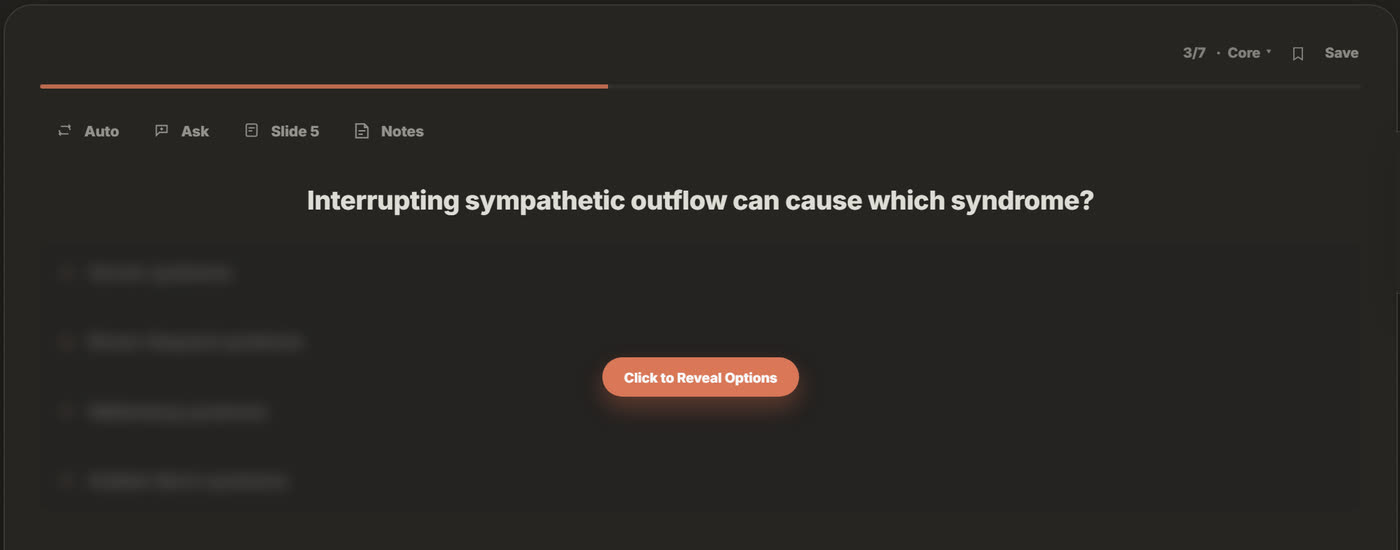
Hides the answer choices until you reveal them, so you have to recall the answer before you can recognize it.
recognition is making a topic feel easier than it is.
-
Spaced review
Shows only the questions that are due, scheduled by how confident you were the last time you saw them.
you have more lectures than evenings.
-
Game mode
Adds XP, levels and badges as you answer.
a streak is what gets you to open the app.
§ 5 · Keyboard
Study without reaching for the mouse.
The keys you need most work on every quiz, and you can change them in Settings.
| Key | What it does |
|---|---|
| A B C D | Choose an answer |
| ← → | Previous or next question |
| E | Open the slide the question came from |
| S | Save the question |
| U | Refresh the question and try it again |
| Shift R | Regenerate the question from its slide |
§ 6 · Who it is for
Built in medical school. Useful in any lecture course.
The tools do not care what the lecture is about. They care how you study it.
Medical, PA and nursing students
Turn this afternoon's lecture into a timed block in Exam mode, then let Spaced review keep last month's blocks from slipping.
Pharmacy and the health sciences
When every option is a drug in the same class, Mix answers stops you leaning on where the right one usually sits.
Sciences and engineering
Hard mode makes you produce the mechanism or the formula before the options can give it away.
Law, history and the humanities
Regenerate a question that hinges on the wrong detail, and Shuffle so cases and dates stop arriving in syllabus order.
§ 7 · Questions
Before you start.
Are Memoraful quizzes free?
Yes. Without an account you can generate 5 quizzes and ask 5 Ask Memoraful questions a day. With your own free Google Gemini API key, which takes about 10 seconds to add, your requests run on your key instead of the shared daily allowance.
What files can I make a quiz from?
PDFs, PowerPoint slides and Word documents.
How many questions are in a quiz?
A Quick quiz has 10 easier questions and a Standard quiz has 25. With your own key you can also choose Exam, 50 harder questions, or Auto, which starts with every must-know fact in the lecture, ranks each question Core or Extended, and writes more when you ask.
Does Exam mode write new questions?
No. It draws from the quizzes already in your session, so you can sit as many practice exams as you like without generating anything new.
Do the tools change my answers?
Mix answers and Shuffle questions only change the order things appear in. Refresh question and Refresh quiz clear answers on purpose, so you can try them again.
How do I find a topic in my lecture?
Open Lecture Finder and type a term, a table or a factor. It searches your lecture files or your quiz questions, in the current lecture, the current session or every session, and opens the matching slide in the file viewer.
Can I use the study tools on my phone?
The study workspace runs on computers and iPads. You can read these guides on a phone, but the app itself is not available on phones.
More guides
Keep going.
Bring tonight's lecture.
Upload slides, a PDF or a Word file and practice with the tools above. No account needed.